

Track record
A space's track record shows how each agent's tasks in a space went, so you can see which agent and model does the work well on that space's code, and at what cost. It reads what already happened on the space's tasks; nothing extra runs.
Open a space and choose its Track record tab. Members and admins see it; guests and viewers don't.
The table
Each row is a harness and a model, such as OpenCode with opencode-go/kimi-k3. The model is the one the harness reported running, or the one its runner was set to use when the harness doesn't say. A runner left on its harness's own model shows as its default model.
A task counts toward the agent and model that ran its latest build. A task that was never built counts toward the one that wrote its latest plan.
- Tasks: how many tasks the row covers.
- Merged: tasks whose pull request was merged, out of those whose pull request was merged or closed. Pull requests still open aren't counted until they're decided.
- Built from first plan: tasks built from the agent's first plan, out of the tasks built from a plan.
- Questions: questions the agent asked per task.
- Taken over: tasks where an engineer took over the branch.
- Review comments: review comments per pull request.
- Cost per merge: what all the row's runs cost, divided by its merged pull requests. "est." means some of it is the harness's flat estimate, not a reported cost; runs that report no cost add nothing.
A row with fewer than five tasks says "Too few tasks to say" instead of showing rates.
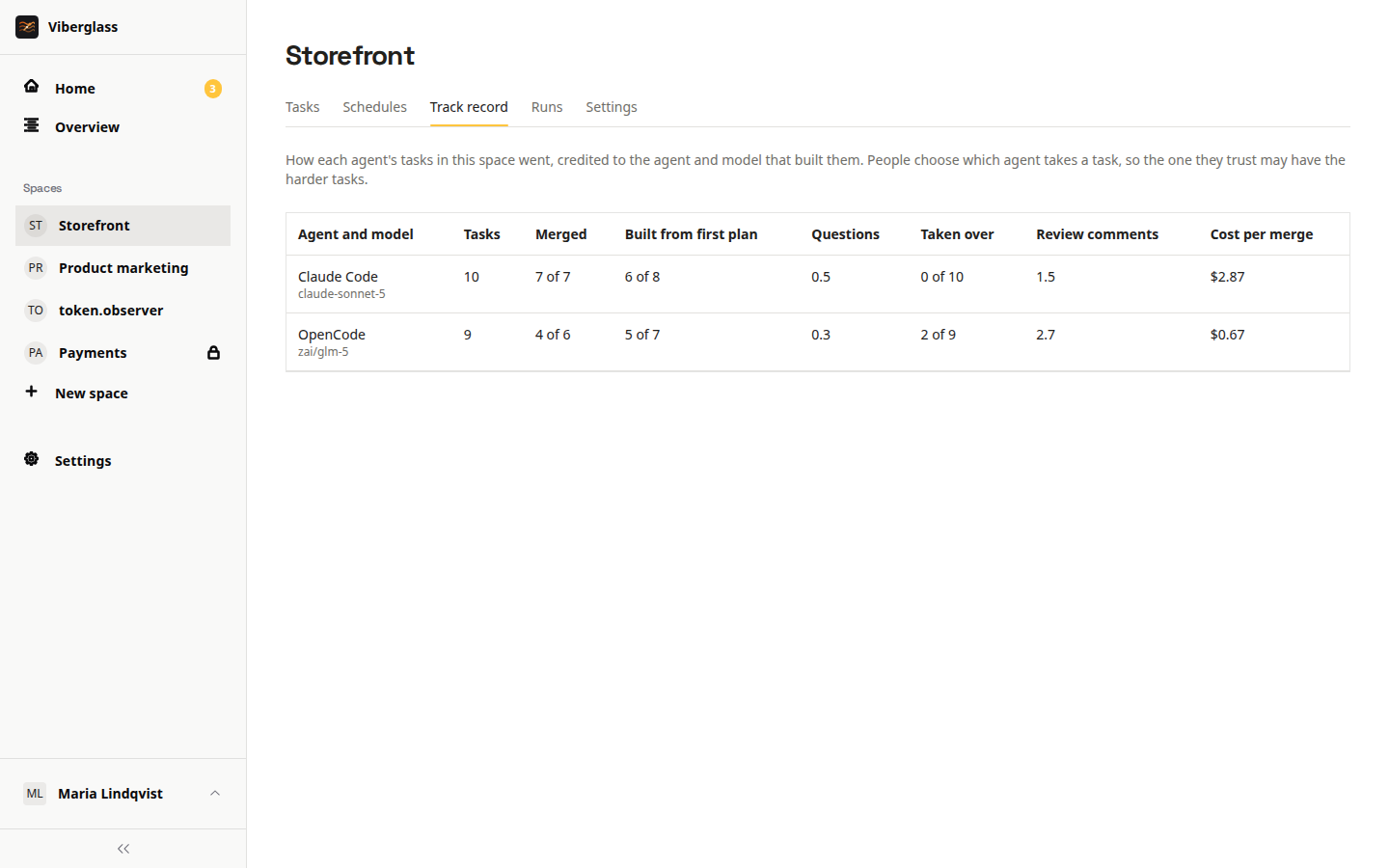
People choose which agent takes each task, and they may give the hardest tasks to the agent they trust most. Keep that in mind when one row looks worse than another. For a fair comparison on one task, use Compare agents.
One agent's tasks
Choose a row to list its tasks, newest first, each with how it went: the pull request's outcome, how many plans came before the build, the agent's questions, a takeover, failed runs, review comments and the cost.